*sigh* Scanning 8x10 negs/transparencies

lharby

Popular Poster
Registered User
Joined
Sep 5, 2021
Messages
137
So, years ago I had an Epson 2450 it would scan 4x5 no problem.

I then upgraded to an Epson 4990 which I was told would scan 8x10 but it didn't. The glass on the scanner covers it but the trap area is smaller. (this was a very inexpensive scanner).

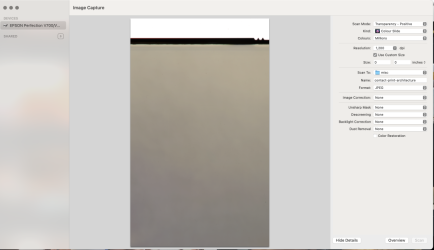
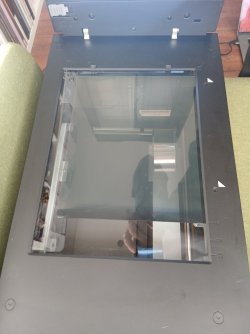
I have now just managed to get an Epson V700 and have been ASSURED this will cover 8x10. I seem to be having the same issue the actual scan trap area is smaller than my 8x10 negative.

Images attached.

I have only ever used Mac with the inbuilt software (ImageCapture, 3rd image). I believe the software should be agnostic but a friend has recommended trying VueScan. He says he has done it successfully and will come back to me later.

Is it possible to scan 8x10 on a V700 without resorting to multiple scans and stitching? Or am I missing something in my setup?

TIA
 

Attachments

  • scan-0.jpg
    scan-0.jpg
    75.2 KB · Views: 9
  • scan-1.jpg
    scan-1.jpg
    110.1 KB · Views: 9
  • scan-2.png
    scan-2.png
    187.7 KB · Views: 9
Hmm just saw this on a Reddit thread regarding the 4990.

but I don’t think that model has an “automatic” system of telling the software what size negative tray is being used, unlike the later models. Is there a pop up menu in the settings on Eason scan for negative size?

So maybe I should try Epson software.
 
I use the Epson software for many negatives because you can Preview the select the scan area manually. But it doesn't recognise all formats, unless you switch the setting from Film (with film holder) to Film (with Film Area Guide). It's similar with SilverFast.

Ian
 
So, years ago I had an Epson 2450 it would scan 4x5 no problem.

I then upgraded to an Epson 4990 which I was told would scan 8x10 but it didn't. The glass on the scanner covers it but the trap area is smaller. (this was a very inexpensive scanner).

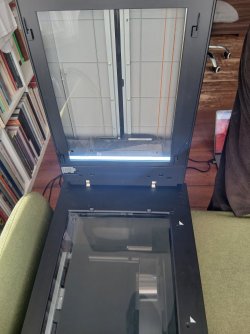
I have now just managed to get an Epson V700 and have been ASSURED this will cover 8x10. I seem to be having the same issue the actual scan trap area is smaller than my 8x10 negative.

Images attached.

I have only ever used Mac with the inbuilt software (ImageCapture, 3rd image). I believe the software should be agnostic but a friend has recommended trying VueScan. He says he has done it successfully and will come back to me later.

Is it possible to scan 8x10 on a V700 without resorting to multiple scans and stitching? Or am I missing something in my setup?

TIA
That scanner should certainly accommodate 10x8 film.

I second the use of VueScan. It will pre-scan to allow you to properly select the borders of the actual scan.

Unless there is an actual problem with your scanner, this is almost certainly a software or software use problem.

N.B. Epson is getting out of the scanner business, at least scanners of this sort. Anyone who wants a quality flatbed scanner would be well served to get one now.
 
I “third” Vuescan. It works very well and it’s regularly updated. As far as I can tell, it will work with every kind of scanner you are likely to encounter.
I’m using an Epson 850. (Which seems to differ only by having a different light source with much less warmup time.) It will certainly scan 10x8, but you do have to be careful to place the neg carefully. Epson provide a rather flimsy mask for this.
Thanks for the tip on Epson abandoning scanners.
 
OK

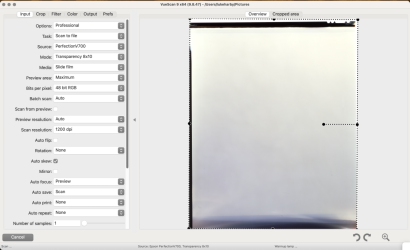
Vuescan looks like it is working although currently the free version spits out a massive watermark.
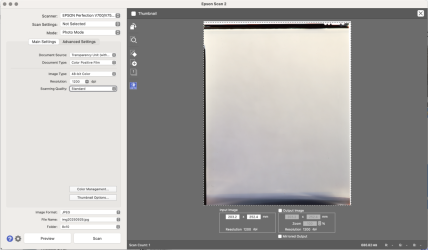
Epson Scan 2 also seems OK.

I just have to be super precise with the placement of the neg. I will check if they are lining up with guides already there. On my last scanner I added my own guides.
 

Attachments

  • vuescan.png
    vuescan.png
    313.9 KB · Views: 8
  • epson-scan.png
    epson-scan.png
    231.5 KB · Views: 8
But I also wish I could just trigger this from the native mac utilities, I have always found those to be a lot more user friendly than being forced to use a third party app.
 
That scanner should certainly accommodate 10x8 film.

I second the use of VueScan. It will pre-scan to allow you to properly select the borders of the actual scan.

Unless there is an actual problem with your scanner, this is almost certainly a software or software use problem.

N.B. Epson is getting out of the scanner business, at least scanners of this sort. Anyone who wants a quality flatbed scanner would be well served to get one now.
How do you know?
 
The tube used in the lid of the Epson scanner is being discontinued, they don't have an alternative.

Ian
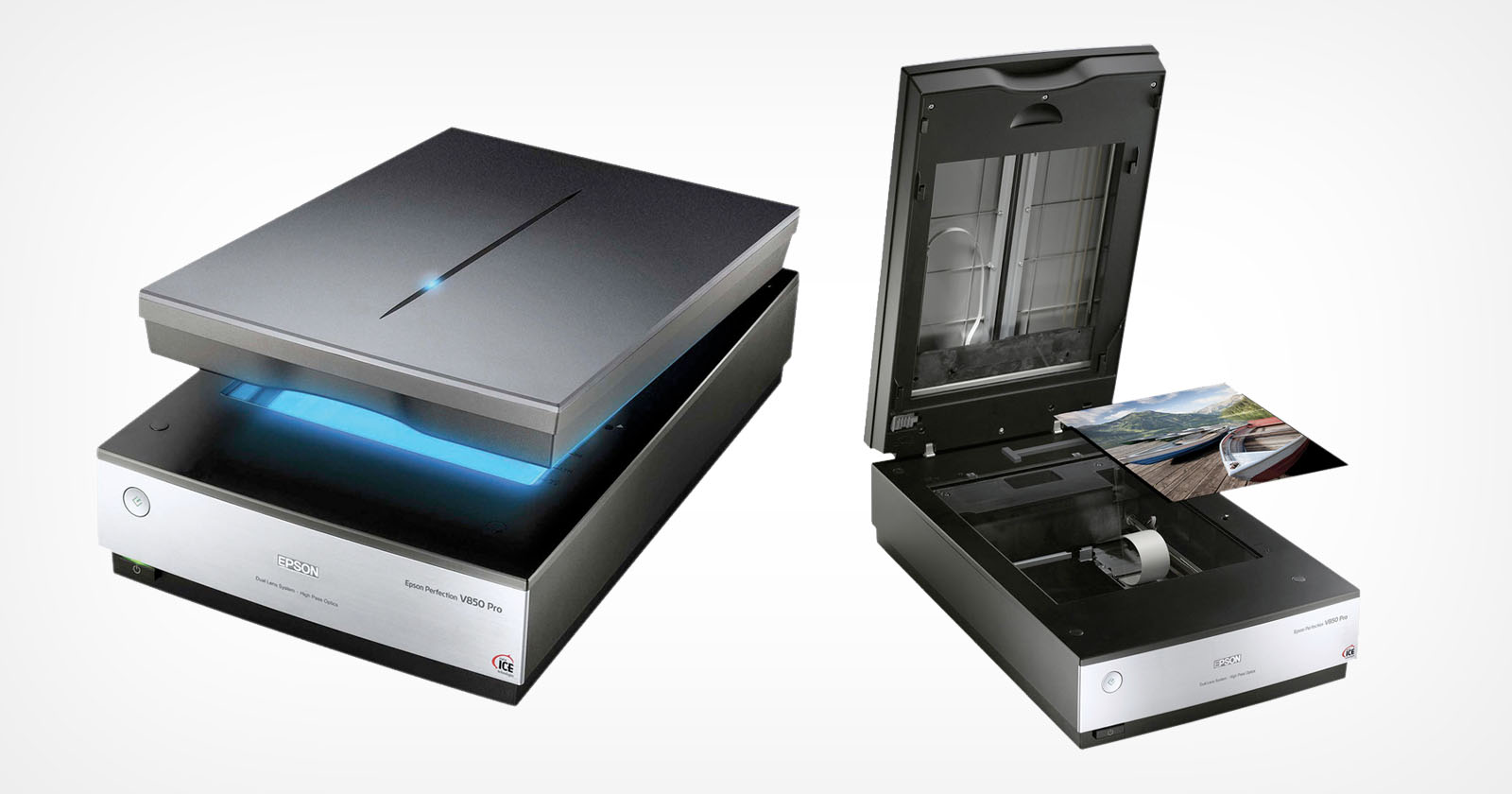
So maybe they bought up hundreds for stock and for new scanners. By the way, which tube and scanner are you referring too? The V850 uses a different light than the V750.

Their web page only shows the V850 left for sale.
 
I've got an Epson 4990 and it absolutely will scan 10x8", as all my scanned 10x8s attest to. The V700 is just a 4990 in a more modern angular looking cover, with a marginally higher res sensor but the same optics (so doesn't really resolve more detail) so in practical terms there's no point getting a V700 instead of the 4990.

With the 4990 you scan 10x8" directly on the main glass bed, and it comes with a "film area guide" to make sure the film sits in the right poace, and in the software you need to select that you're using that and it'll do the full bed focussed on the glass rather than focussed above the glass as all the other film holders do. If it's not scanning the full width then you have the film holder mode selected instead of the full bed "film area guide" mode.

Software: I've used Silverfast and Epsonscan but yes Vuescan knocks all the others into a cocked hat for basically very little money, very powerful but does take a bit of learning, as most decent software does. Some clever things are possible, like for example with 5x4" you can scan at 4800ppi then have it setup to downsample on output to 2400 which cuts noise in dense areas of film a lot (so dark E6 film shadows) while losing no actual detail because it doesn't really resolve more than about 2000 anyway. Similarly for b&w you should set up to use the green channel only to create the output b&w file, because that will be sharper than the other channels - don't ask me why but it's easy to test and confirm yourself.
 
I've used a V700 for 10+ years and mine scans 10x8 film without any problems. In fact it's the reason I bought it because 10x8 was the largest format I was using at the time. Do you have the vinyl 10x8 film guide for laying onto the platen? You're meant to use that to not only help you align where to lay the film but it also tells the scanner to use a different lens for higher quality scans.

I mainly use the Epson scanner software in "professional" mode on my 15 year old iMac. Sometimes I use Silverfast for colour film because I find the film presets useful.
 
I've used a V700 for 10+ years and mine scans 10x8 film without any problems. In fact it's the reason I bought it because 10x8 was the largest format I was using at the time. Do you have the vinyl 10x8 film guide for laying onto the platen? You're meant to use that to not only help you align where to lay the film but it also tells the scanner to use a different lens for higher quality scans.

I mainly use the Epson scanner software in "professional" mode on my 15 year old iMac. Sometimes I use Silverfast for colour film because I find the film presets useful.

I'm not sure if it uses a different lens, more likely a different focus position,

I scanned some Lantern slides recently, placing them inside the 5x4 film holders (on the glass), I reckoned the actual emulsion layer would match, and was amazed how sharp the grain in the scans was.

Ian
 
How do you know?


Because Epson has made it public that the V800 is discontinued:

https://epson.com/For-Work/Scanners...fection-V800-Photo-Color-Scanner/p/B11B223201

Because the V850 remains "out of stock" and what's already in the supply chain seems to be selling down/is sold out:

https://epson.com/For-Work/Scanners...fection-V800-Photo-Color-Scanner/p/B11B223201

Because there has been widespread discussion of this and the underlying cause being that non-availability of the CCD element:

https://www.photrio.com/forum/threads/epson-v850-discontinued.211967/
https://forums.macrumors.com/threads/epson-to-stop-manufacturing-flatbed-film-scanners.2448686/


I suppose it is possible this is all the internet hive mind using proof by repeated assertion, Epson ginning up interest to sell off their next gen flatbed film scanners, or some other anomaly, but it certainly has every evidence of being true.

I have no inside information and would be delighted to be wrong about this and see Epson come out with new film flatbed scanners.

Note that there is no indication they are exiting ALL scanner products, just the high end film scanners.
 
I've got an Epson 4990 and it absolutely will scan 10x8", as all my scanned 10x8s attest to. The V700 is just a 4990 in a more modern angular looking cover, with a marginally higher res sensor but the same optics (so doesn't really resolve more detail) so in practical terms there's no point getting a V700 instead of the 4990.

With the 4990 you scan 10x8" directly on the main glass bed, and it comes with a "film area guide" to make sure the film sits in the right poace, and in the software you need to select that you're using that and it'll do the full bed focussed on the glass rather than focussed above the glass as all the other film holders do. If it's not scanning the full width then you have the film holder mode selected instead of the full bed "film area guide" mode.

Software: I've used Silverfast and Epsonscan but yes Vuescan knocks all the others into a cocked hat for basically very little money, very powerful but does take a bit of learning, as most decent software does. Some clever things are possible, like for example with 5x4" you can scan at 4800ppi then have it setup to downsample on output to 2400 which cuts noise in dense areas of film a lot (so dark E6 film shadows) while losing no actual detail because it doesn't really resolve more than about 2000 anyway. Similarly for b&w you should set up to use the green channel only to create the output b&w file, because that will be sharper than the other channels - don't ask me why but it's easy to test and confirm yourself.
Does anyone know how EpsonScan software scans when 16-bit grayscale is selected for BW film? One channel? All three channels? A different channel?
 
Because Epson has made it public that the V800 is discontinued:

https://epson.com/For-Work/Scanners...fection-V800-Photo-Color-Scanner/p/B11B223201

Because the V850 remains "out of stock" and what's already in the supply chain seems to be selling down/is sold out:

https://epson.com/For-Work/Scanners...fection-V800-Photo-Color-Scanner/p/B11B223201

Because there has been widespread discussion of this and the underlying cause being that non-availability of the CCD element:

https://www.photrio.com/forum/threads/epson-v850-discontinued.211967/
https://forums.macrumors.com/threads/epson-to-stop-manufacturing-flatbed-film-scanners.2448686/


I suppose it is possible this is all the internet hive mind using proof by repeated assertion, Epson ginning up interest to sell off their next gen flatbed film scanners, or some other anomaly, but it certainly has every evidence of being true.

I have no inside information and would be delighted to be wrong about this and see Epson come out with new film flatbed scanners.

Note that there is no indication they are exiting ALL scanner products, just the high end film scanners.
The V800 is discontinued. The V850 is still available in about half dozen stores. You're spreading an incorrect rumor from another photo site. Epson has not said they are discontinuing the V850.

V850m where to buy: https://epson.com/where-to-buy?sku=B11B224201
Note that the V600 is still available (refurbished) at Staples. : https://epson.com/where-to-buy?sku=B11B198011
 
It's not just one site. It's been all over the place for months.

How about this one:

https://www.dpreview.com/forums/thread/4793110

Or this one:

https://kosmofoto.com/2025/02/epson-pulls-the-plug-on-v850-pro-and-13000xl-film-scanners/


Then there is this to further muddy things:


So the following possibilities exist:

  • Only the V800 is discontinued and the V850 lives on
  • The V850 lives on but only in North America
  • All that is available is what is currently in the supply line
Note that your sourcing link above is only for US vendors, all of whom are large enough to be able to have a fairly deep backstock.

We'll see, but I'm suspicious. Why would Epson only make the scanner available in the US market if they continued to build new ones. It makes no sense.

Where there is smoke, there is usually fire.
 
Does anyone know how EpsonScan software scans when 16-bit grayscale is selected for BW film? One channel? All three channels? A different channel?
If my memory is correct, I'd say one channel.
 
Back
Top